KI-155
Office 365 check-in error in Spring '25
| Created date | 06/18/2026 | Updated date | 06/18/2026 |
|---|---|---|---|
| Status | Salesforce Dependency | Related work item | N/A |
| Description | As of Thursday, June 18, 2026, orgs running Spring '25 can no longer check in documents from Office 365. Clicking Check In returns an error dialog reading process is not defined. Root cause: Salesforce changed how Lightning Web Security (LWS) processes code when applying its distortions. LWS now references variables unsafely, so any undefined variable causes the LWS code itself to throw an error. MCM uses a testing variable that is not always defined; our code references it safely via a JavaScript optional chaining operator. This worked without issue for a year, until the Salesforce LWS change began erroring on it. | ||
| Affects version(s) | Scientific Publications Cloud Spring '25 | Impacted capabilities | N/A |
| Steps to reproduce |
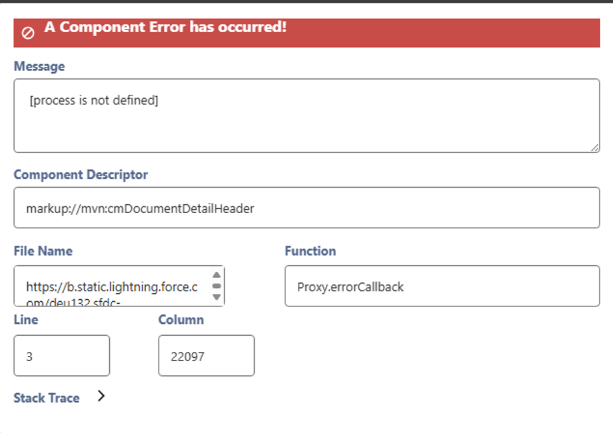 | ||
| Workaround | Disable LWS. Note: You'll need to re-enable LWS for the next upgrade. | ||
| Fix version | Scientific Publications Cloud Fall '25 | Resolution notes |