Documents
Documents are the fundamental objects in Scientific Publications Cloud and consist of metadata. A document can have many associated document versions, and each document version can have different metadata and a different internal or external file associated to it. Each document version also has a lifecycle, can enter workflows, and can be shared with users and groups of users.
Digital Object Identifier
A publication's Digital Object Identifier (DOI) is a unique ID that is generated when the article is published and made available electronically. The DOI makes it possible to pull metrics about the document into the document's details in the Scientific Publications Cloud product. The DOI can be added to a document by editing the details and adding it to the DOI field on the Edit Document Details modal.
Only the most recent document version will have the DOI. All previous version DOIs for that document will have a blank DOI.
Validation rules in the Document DOI
Administrators can create new documents without a DOI, create new
documents with a unique DOI, or upload a new document to an existing
Document DOI. The PP_DOI_Formatting validation rule on the Document
Version (mvn__CM_Document_Version__c) object
enforces proper DOI formatting so that the DOI is compatible with the
Unpaywall and Digital
Science integrations. The format requirements are as
follows:
-
The DOI must be written as
10.xxxx/xxxxx -
It cannot start with "http", "https", "DOI:", or "org"
-
It must begin with a number
-
It must include a forward slash (
/) -
It can be blank, but if not, the number must be unique
For example, 10.1007/00000 is an acceptable format. If there is a
space in the format, it will be truncated to handle documents with
duplicate DOIs. In this case, 10.1007/abc.123-2 - DOC-0000008 would be
displayed as 10.1007/abc.123-2.
If these formatting requirements are not followed, compatibility issues with the Unpaywall and Digital Science integrations will occur.
Related pages
For more information on documents and document versions, reference these pages:
-
Document schema - the schema for the Document (
mvn__CM_Document__c) and Document Version (mvn__CM_Document_Version__c) custom objects. -
Document Types - the schema for the Document Type (
mvn__CM_Document_Type__mdt) custom metadata type and how to configure it. -
Document metadata - an overview of the different attributes or metadata associated to document versions and links to more detailed information about each metadata type.
-
Document lifecycles - the schema, definitions, and relationship for the custom metadata types that configure document lifecycles.
-
Document layout locations - an overview of the specific locations in Scientific Publications Cloud where document layouts are used. You can configure different layouts to display in these locations.
-
Document search - how document search works and a list of supported search operators.
-
Microsoft 365 - how to configure the Microsoft 365 integration.
-
Timeline - an overview of the Timeline component, which you can use to view milestones related to a document.
-
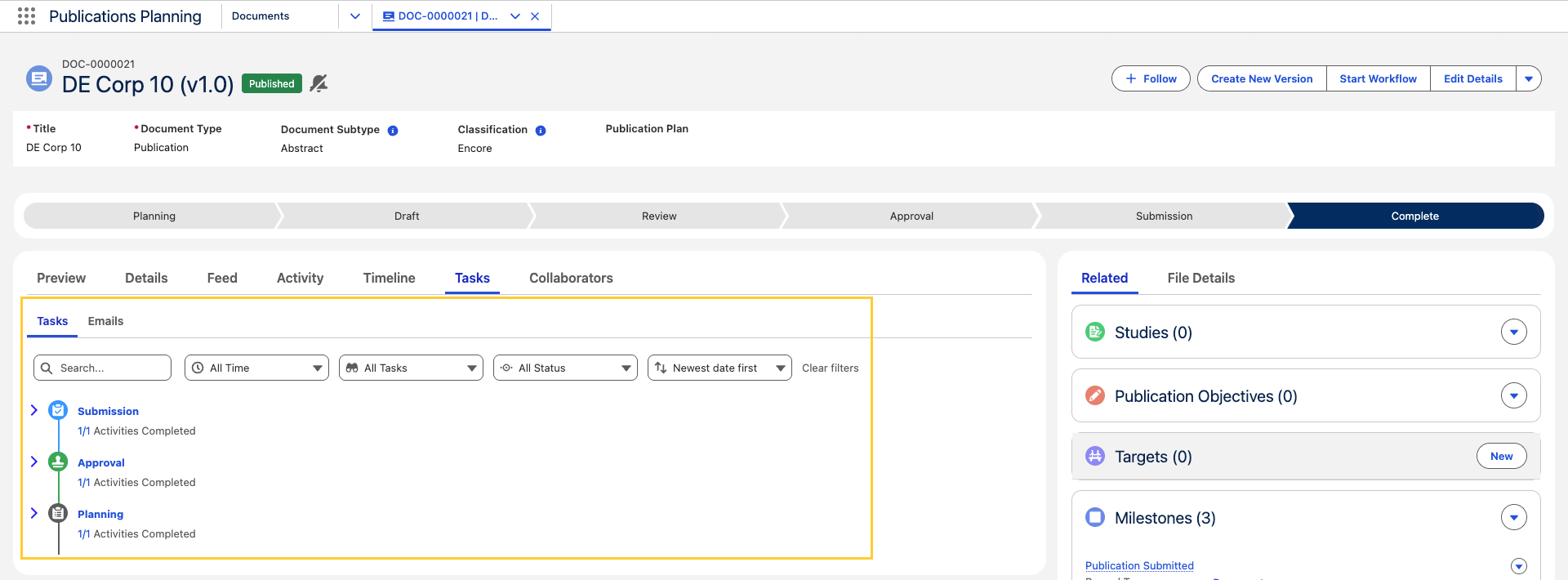
Tasks tab on a document record - the Tasks tab on a Publication Planning Document Record Page (
PP_Document_Record_Page) displaying Tasks and Emails in a timeline view, including filters, lifecycle grouping, and permission-aware task actions.