Troubleshooting
If an installation fails, please review the troubleshooting steps below.
Special considerations
Always copy the URL to the install job that is provided in the error notification popup. You must provide this URL to support when requesting assistance.
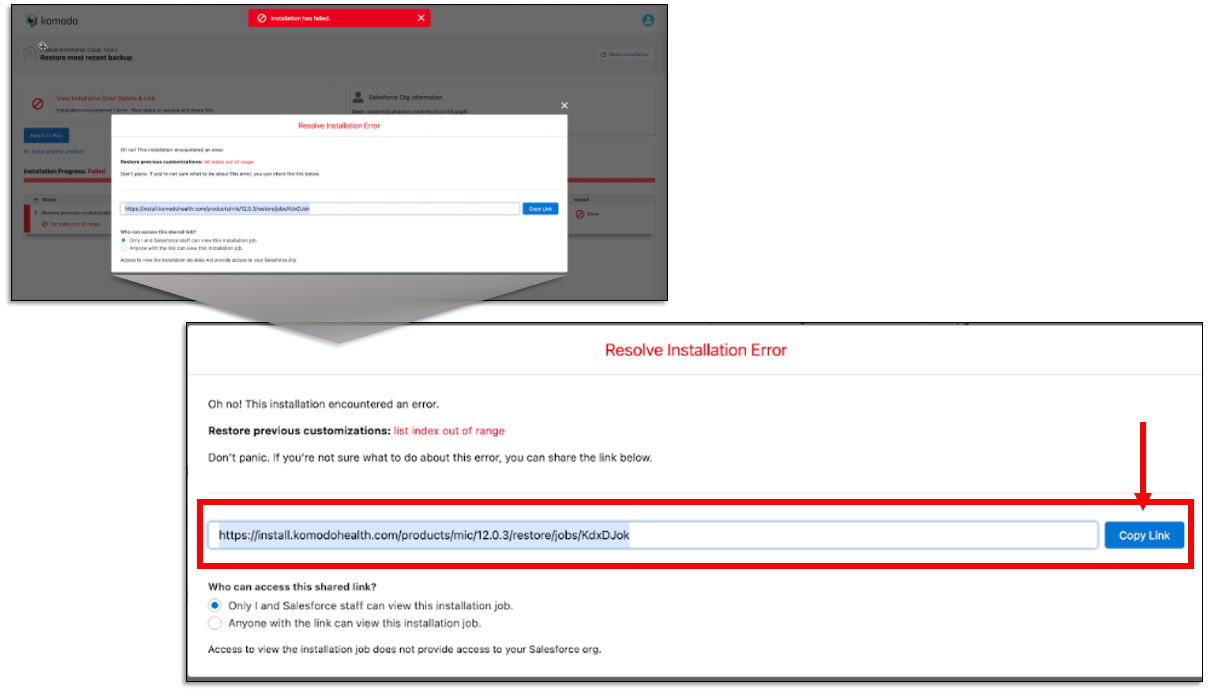
Read the error message as often times, the error message will tell you what needs to be done.
Expand the failed step for more details logs of what was happening at the time of the error.
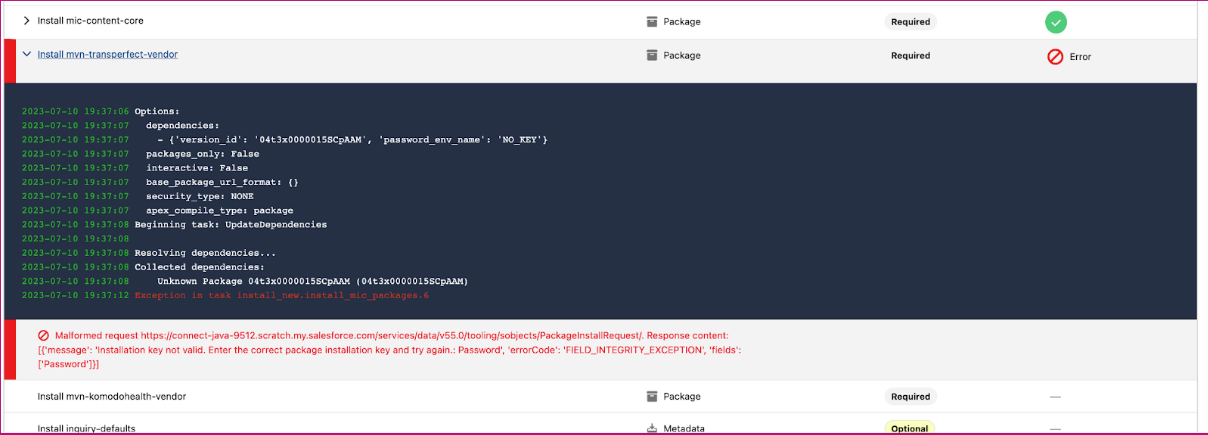
Additional details can sometimes be found in your Salesforce org under Setup>Environments>Deploy>Deployment Status.
Check https://help.mavens.com/ki/en/known-issues.html and the product documentation for the product you are installing for special cases or known issues that will help work around an issue.
Common Issues
Some common issues and errors you might encounter.
Admin operation already in progress: When making changes to an org, Salesforce puts an admin lock on the org so that only one change can be processed at a time. If you encounter this, it means that either an admin was making a change in the org at the same time the install was running or sometimes Salesforce did not release the admin lock from the previous step right away. Either way, simply restart the install if you encounter this.
Cannot update or delete a picklist while a picklist background job is being executed: This error sometimes occurs if Salesforce needs to do maintenance actions after a deployment that includes picklists. This temporarily blocks additional field changes to the org. Simply restart the installation after a few minutes if you encounter this.
Authentication Issues
If you encounter OAuth issues, check these settings.
Make sure your user has Approve Uninstalled Connected App permissions. Salesforce restrictions on connected apps may block the install service connected app if you don't https://help.salesforce.com/s/articleView?id=005132365&type=1
In Session Setting, Lock sessions to the IP address from which they originated must be off
In Session Settings, Enforce login IP ranges on every request may block access if your profile does not have all IP addresses listed in the login ip ranges