Create an Auth. Provider
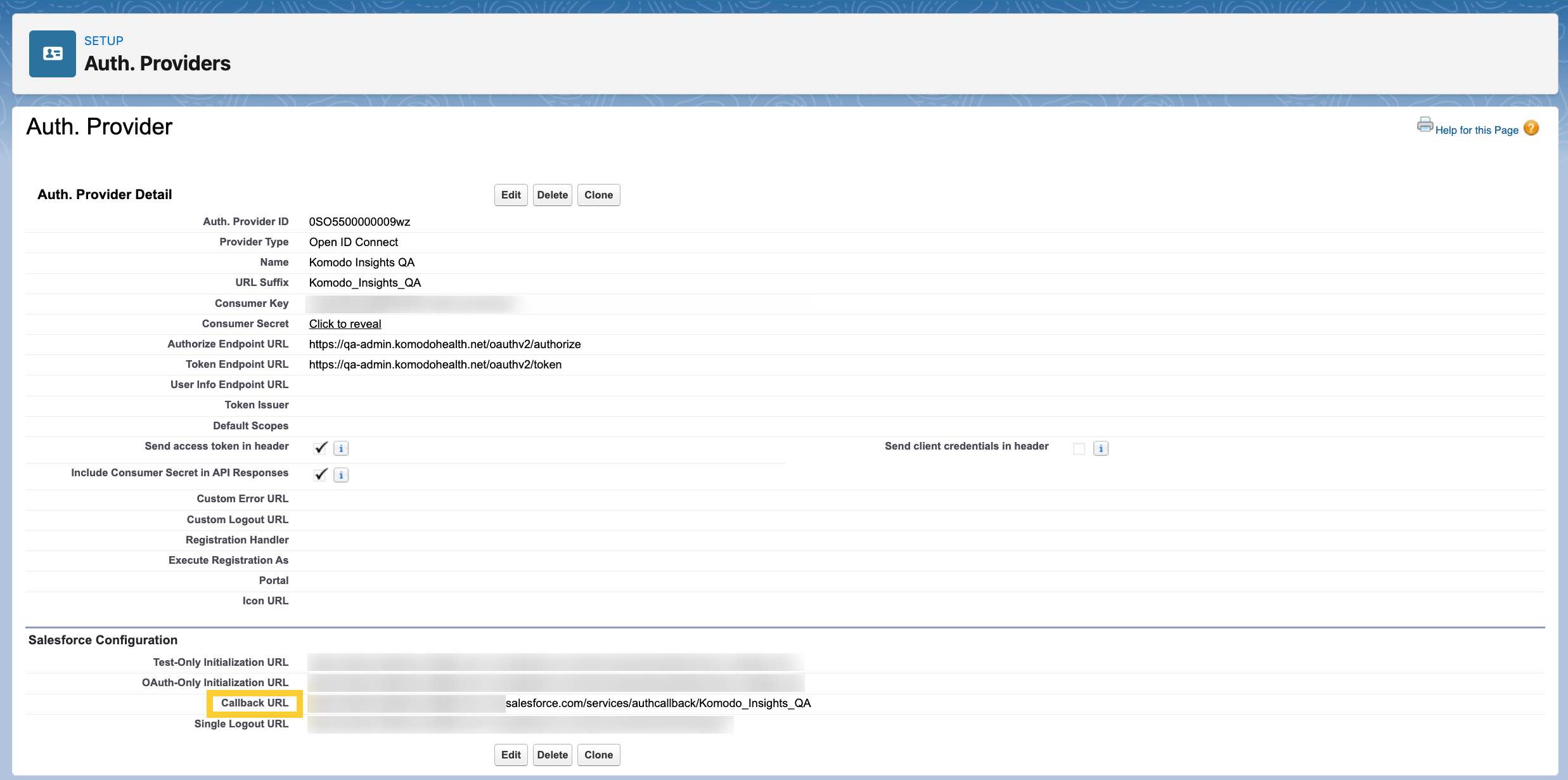
To allow your users to log into the custom Komodo Insights Component with their Salesforce credentials, you need to create a Salesforce authentication provider.
-
In the Quick Find box in Setup, search for and select Auth. Providers.
-
Click New.
-
Set the Provider Type Name to
Open ID Connect. Additional fields will appear. -
Enter a Name for the provider. The URL Suffix will populate automatically.
-
Enter the Consumer Key and Consumer Secret you received from your Mavens CSM.
-
Set the Authorize Endpoint URL to
https://aperture-admin.komodohealth.net/oauthv2/authorize. -
Set the Token Endpoint URL to
https://aperture-admin.komodohealth.net/oauthv2/token. -
Keep all other fields as they are, and click Save.
-
Provide the Callback URL under the Salesforce Configuration section to your Mavens CSM. This will allow Mavens to catalog your URL as a trusted endpoint for added security.