
KI-159
Warning toast messages don't close automatically
| Created date | 10/21/2026 | Updated date | 10/21/2026 |
|---|---|---|---|
| Status | In Progress | Related work item | MIC-5256 |
| Description | Warning toast messages stay on screen until the user closes them, instead of closing automatically after a few seconds. This is most noticeable in Account Search, for example the warnings that appear when a search returns no results, when the results exceed the maximum number of records, or when no search field is specified. Root cause: In Spring '26 (V18), toast notifications across Medical Information Cloud were moved to the supported lightning/toast module after Salesforce deprecated the legacy platformShowToast event. Unlike the legacy event, lightning/toast keeps info, warning, and error toasts on screen by default until the user closes them. As a result, warning toasts that previously closed automatically now stay on screen. | ||
| Affects version(s) | Spring '26 (V18) and later | Impacted capabilities | Inquiry Management |
| Steps to reproduce |
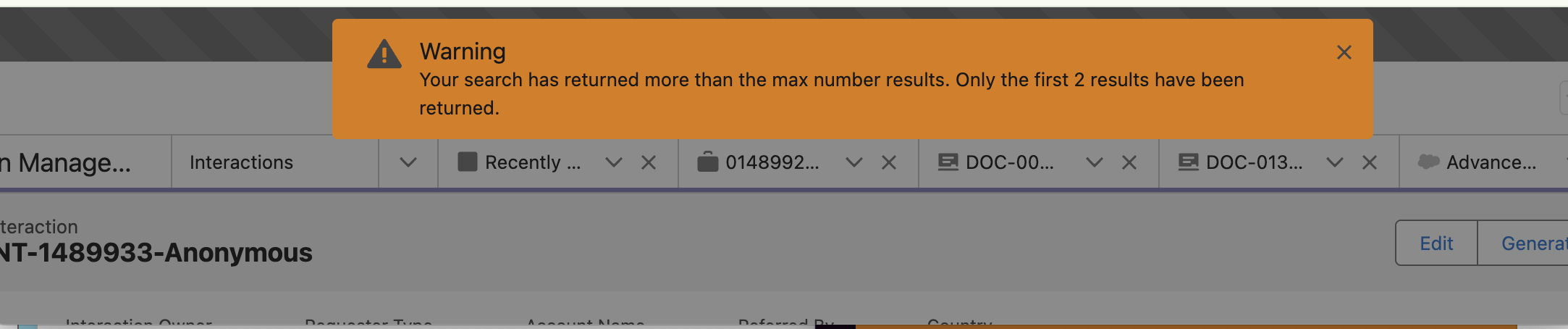 | ||
| Workaround | Close the toast message manually by clicking the close (X) icon. | ||
| Fix version | Spring '27 (V20) | Resolution notes | Warning toasts are set to close automatically. Error toasts intentionally stay on screen until the user closes them, so that users don't miss an error. |