
KI-157
Account Search throws "Aggregate Query" error when restricted to the selected institution
| Created date | 08/19/2026 | Updated date | 08/19/2026 |
|---|---|---|---|
| Status | Backlog | Related work item | MSS-109 |
| Description | A person search in Account Search might throw the following error when the Restrict To Selected Institution toggle is enabled: "Aggregate query has too many rows for direct assignment, use FOR loop" 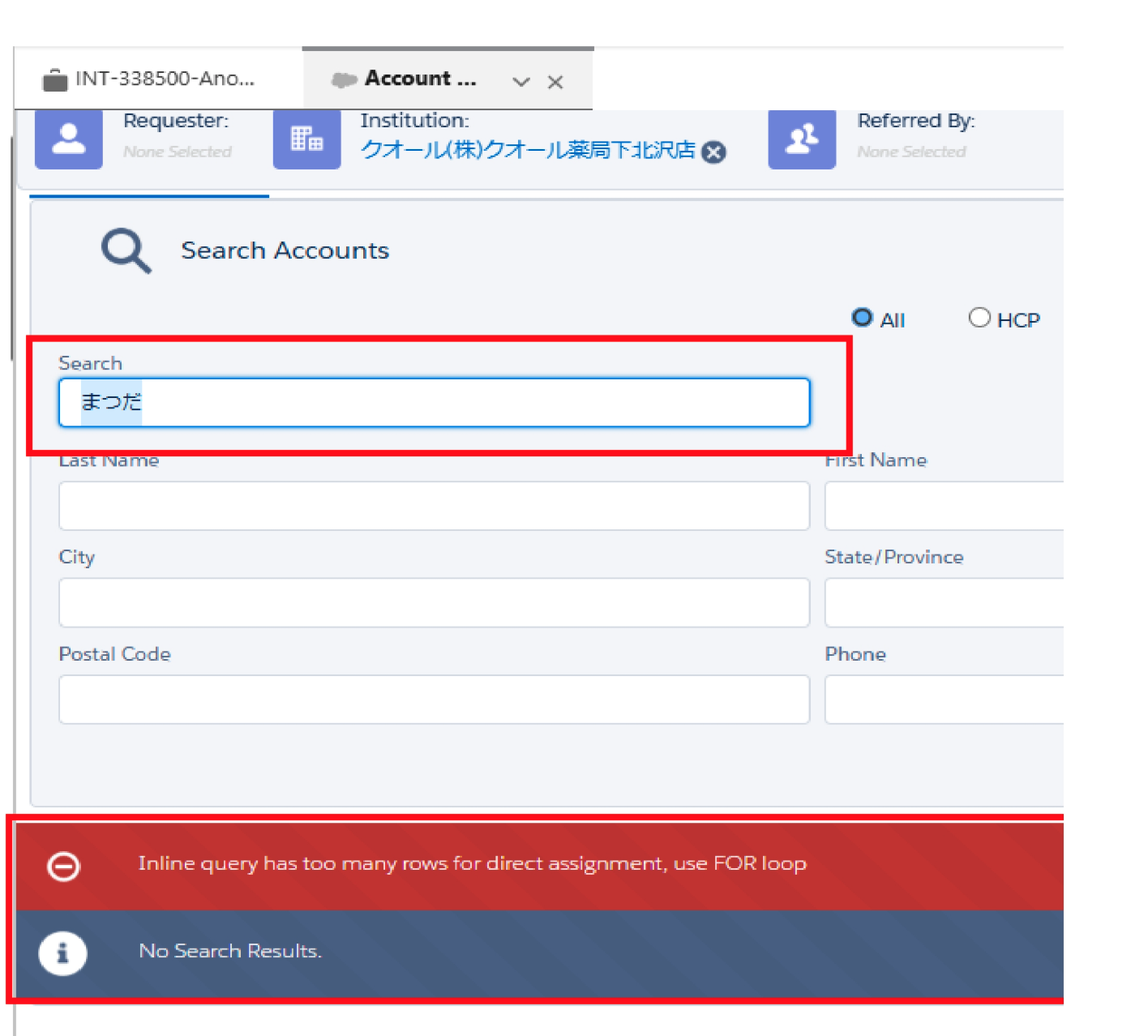 This is the same Salesforce query limitation described in KI-131, which Salesforce documents in the following articles: - Aggregate query has too many rows for direct assignment but less than 200 rows - "Aggregate query has too many rows for direct assignment, use FOR loop" Salesforce error Root cause: KI-131 addressed how Account Search reads the Contact Information and Affiliation records related to each search result. It did not change how Account Search retrieves the underlying query result itself, which is still assigned directly instead of being processed in a loop. As a result, the same Salesforce limitation can still be reached in V16 and later when both of the following are true: 1. There are long or rich text fields in the Account query and 2. The search retrieves a large number of related Contact Information or Affiliation records Restricting a person search to the selected institution makes this more likely, because the search then also evaluates every account affiliated with that institution. | ||
| Affects version(s) | Spring '25 (V16), Fall '25 (V17), Spring '26 (V18) | Impacted capabilities | Inquiry Management |
| Steps to reproduce |
| ||
| Workaround | There are two possible workarounds for this issue: 1. Disable the Restrict To Selected Institution toggle and search for the person without it. 2. Remove user FLS to all long text and rich text fields on the following objects: - Account - Contact - Contact Information - Affiliation | ||
| Fix version | Fall '26 (V19) | Resolution notes |