
Mavens Rendition Service
The Mavens Rendition Service is a hosted service that generates PDFs for Medical Information Cloud. It replaces Nintex DocGen for these features:
-
Record snapshots, including test renders in the Snapshot Template Studio
-
Converting files to PDF in the Related Files List component
-
Converting documents to PDF during Quick Fulfillment assembly
The service signs in to Salesforce as the user who starts the request, so it reads and saves files with that user's access. Because of this, every user who generates PDFs must be authorized to use the service.
Authorize users
Users can generate PDFs only if both of these are true:
-
They have the Rendition Generation User permission set (
CA_Rendition_Generation_User). The Medical Information Cloud - Setup plan adds this permission set to the Medical Information Cloud User Permissions and Medical Information Cloud Admin Permissions permission set groups. -
They're pre-authorized for the Mavens Rendition Service external client app, through their profile or one of their permission sets.
To pre-authorize users:
-
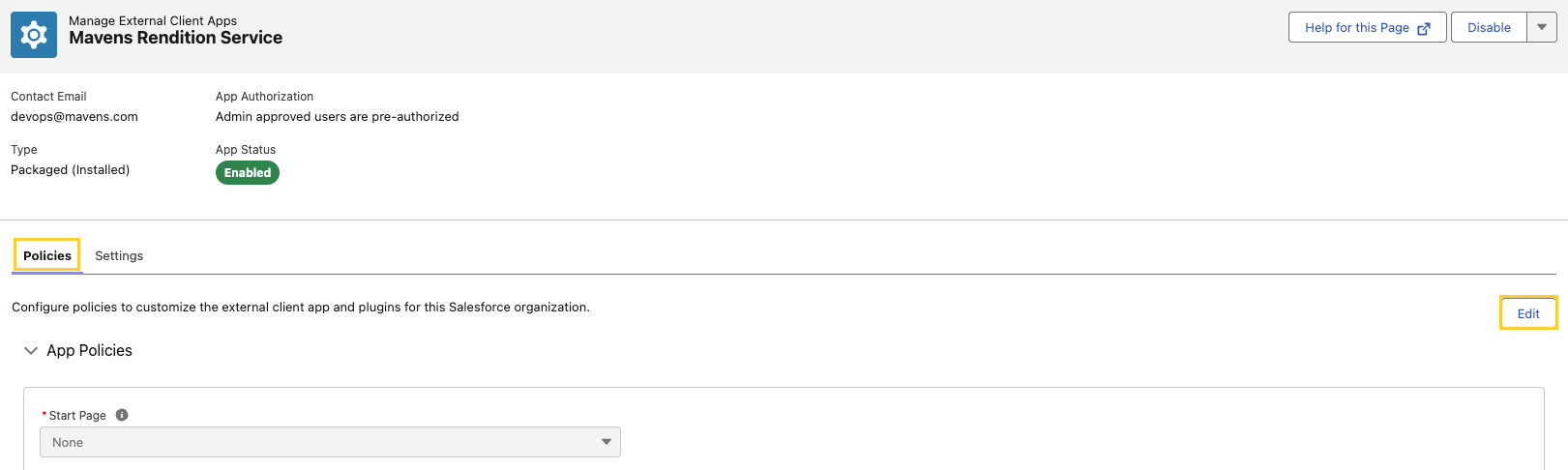
From Setup, open External Client App Manager and select Mavens Rendition Service.

-
In the Policies tab, click Edit.
-
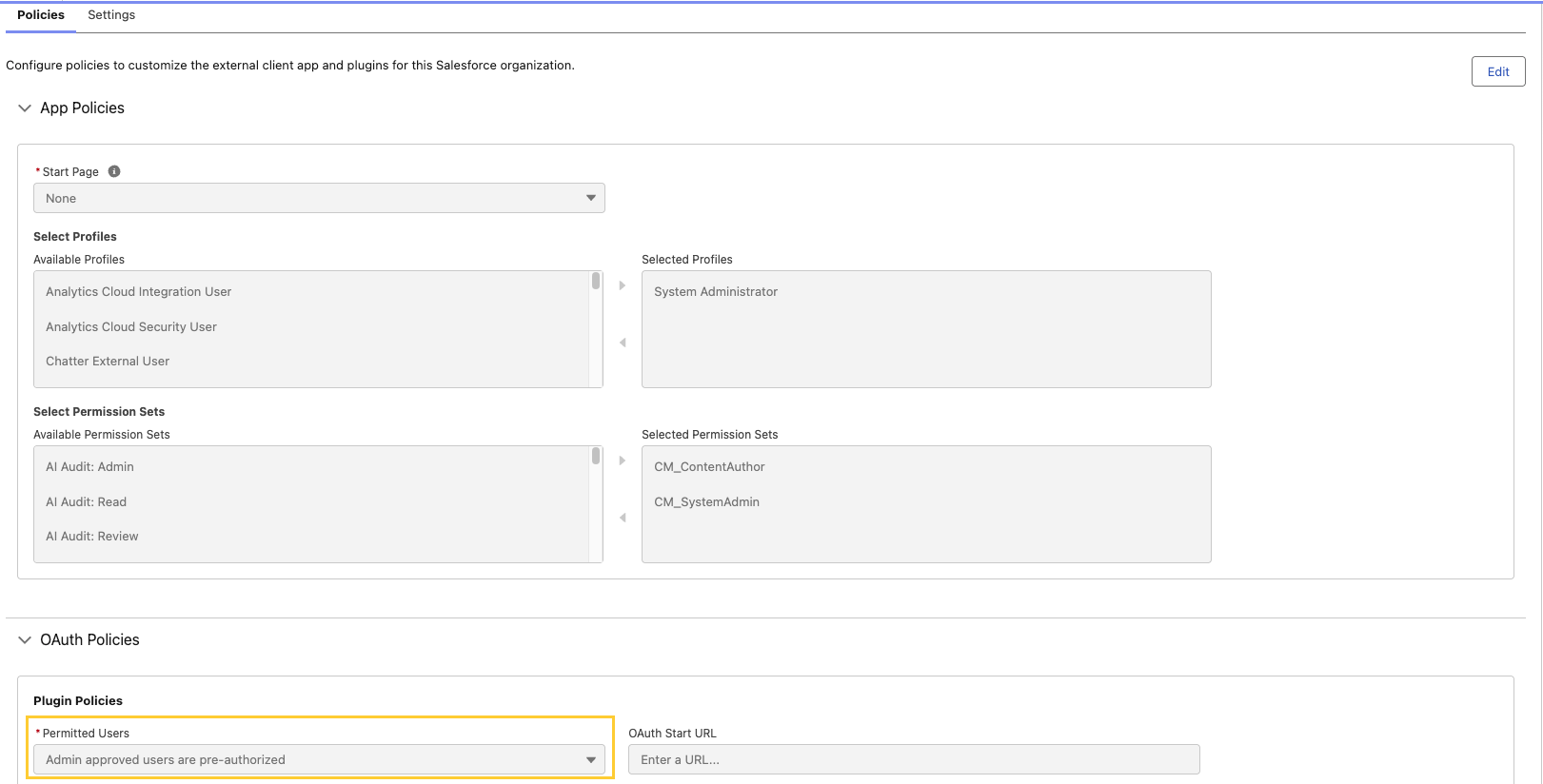
Make sure Permitted Users is set to Admin approved users are pre-authorized.
-
Add each profile or permission set whose users generate PDFs and Save.
You can't pre-authorize the Rendition Generation User permission set for the external client app, because it's part of a managed package. Use a profile or one of your own permission sets instead.
Network access
If your org restricts network traffic by IP address, add the Rendition Service addresses listed in IP ranges to your allowlist.
Troubleshooting
| Problem | What to check |
|---|---|
| Snapshot generation or PDF conversion fails for some users, but works for administrators. | Make sure the users have the Rendition Generation User permission set, and that their profile or one of their permission sets is pre-authorized for the external client app. For details, see Authorize users. |
| The message Rendition generation is not enabled for this org. appears. | The service isn't turned on for your org. Contact customer support. |
| PDF generation fails for every user after an installation or upgrade. | Make sure the mvn-auth-keys package is installed, and that Permitted Users on the Mavens Rendition Service external client app is set to Admin approved users are pre-authorized. |